Ticket Tips


お気に入りのアーティスト、チーム、公演、会場のカスタム通知を受け取る(Get Custom Alerts for Your Favourite Artists, Teams, Shows and Venues)
大好きなアーティスト、チーム、会場が近くでイベントを開催するとき、その瞬間を見逃したくないですよね。Ticketmasterの「お気に入り」機能を使えば、チケット販売開始をいち早くお知らせします。
💜のアイコンで、絶対に見逃したいアーティストや、真っ先に並びたい会場を教えてください。あとはTicketmasterにおまかせください。チケット販売の発表があり次第、タイムリーに通知をお届けします。
Ticketmasterアカウントにお気に入りを追加すると、あなたのイベントフィードがよりパーソナライズされ、きっと気に入っていただけるであろう新しいアーティストやイベントを、メールを受け取るのと同じくらい簡単に発見できるようになります。お気に入りの登録が増えるほど、カスタマイズされたメールでよりパーソナライズされたコンサート情報をお届けし、Ticketmasterへログインした際にもそれらを目立つ位置に表示します。
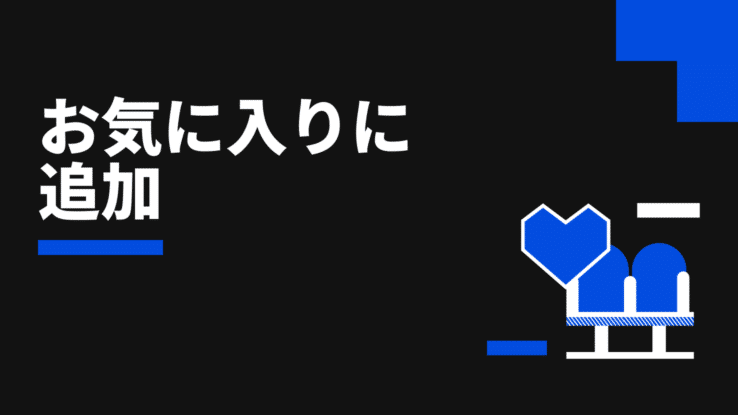
今後のコンサート、演劇、その他のイベントの通知を受け取るには、Ticketmasterのウェブサイトを閲覧中に、フォローしたいアーティスト、チーム、会場のページにある💜(ページ上部の画像に表示されています)をタップするだけです。ハートをタップすると、自動的にお気に入りに追加されます。
お気に入りを編集するには、Ticketmasterにアクセスし、「マイアカウント」をタップして「設定」に進んでください。このセクションの「マイフェイバリット」から、お気に入りに登録したすべての今後のイベントを、便利な一覧でまとめて確認できます。
これにより、新しい公演やチケットが発表されるたびに通知が届くほか、残りチケットが少なくなった際には直前のお知らせも受け取れます。さらに、お気に入りの傾向に基づいて、まだ知らなかったかもしれない似たタイプのイベントのパーソナライズされたおすすめ情報もお届けします。おすすめ情報の受け取り方法の変更や配信停止は、いつでもアカウント設定から行えます。
When the artists, teams and venues you love have events happening near you, you want to make sure you’re there, and Ticketmaster’s Favourites tool ensures you’ll be the first to know when tickets go on sale.
Use the handy 💜 to let us know who you wouldn’t miss for the world or the venues you want to be first in line for – then we handle the rest, sending you timely alerts as soon as ticket sales are announced.
Adding Favourites to your Ticketmaster Account will help us personalise your event feed and make discovering new artists or events we think you’ll dig as easy as getting an email. The more Favourites you share with us, the more personalised concert notifications we’ll send along in a customised email – as well as feature them front and centre when you or sign into your account on Ticketmaster.
To get notified of upcoming concerts, theatre shows and other events, when you’re browsing in the Ticketmaster website, just tap the 💜 located on the pages of artists, teams or venues you want to follow (you’ll see it on the image at the top). Once you tap the heart, they’ll be automatically added to your Favourites.
In order to modify your Favourites, head to the Ticketmaster, tap on My Account, and head to Preferences. In this section, you can click My Favourites and view all your Favourites’ upcoming events in one handy list.
This ensures you’ll receive a notification when new shows and tickets are announced, and you’ll also receive last-minute alerts when availability is running low. Plus, based on the types of things you Favourite, you’ll receive personalised recommendations for similar types of events that might not have already crossed your radar. You can always modify how you receive those recommendations or opt out of them by updating your account preferences.